

Feature Blog
230+ Feature Updates
January 11, 2021
Connect ONE App Supported on Apple Mac M1
The Connect ONE iOS App is fully supported on Apple Mac products utilizing the new Apple M1 processor. Now your customer can use the App or the browser version on their Mac.
Read MoreDecember 14, 2020
Armed Areas displayed alongside Doors & Outputs
For added convenience of not needing to switch back and forth between the Security page and the Doors & Outputs page, if the associated area of the door is armed it will appear alongside the doors. This way the intrusion area may be disarmed at the same time as unlocking the door.
Read MoreDecember 4, 2020
Support Access Lockout
A new feature is available called the "Support Access Lockout" which is designed for when there are customer privacy concerns or a higher level of security is required by your customer. It is selectively enabled per customer and as such until enabled for the first time, your customer will not see any reference to this feature. Once enabled, from the Dealer Site go to Customer then Customer Info, you will lose access to login to the customer site as well as control functions such as arming, door control, etc. However, you will still be able to ...
Read More
November 3, 2020
Assa Abloy Aperio Locks Now Supported
Valuable new integration access control offering for your customers Complete integration with Bosch, DMP, Elk, and Honeywell Vista panels allows for the wireless locks to map directly to the intrusion armed status for denying access when armed, preventing schedule unlock when armed, first-in unlock when disarmed, and disarm on access. It also provides for a mapped hardwire relay output which allows for an auxiliary control upon access, a hardwire lock operation for the aperio reader only device, and a relay output to control an external door opener. It also allows for direct control of the aperio locks from the ...
Read More
September 1, 2020
System Profile Templates - Change Option
The System Profile Templates are a great convenience for your customer with multiple locations. One template can span any number of locations with predefined permissions removing the necessity to individually specify permissions each time when adding a new user. Also, a single permission change to the template will propagate down to all the users associated with the template. Now the System Profile Templates are even easier to use with the new option which allows your customer to quickly change a user from one template to another. For example a user might start in a template with ...
Read More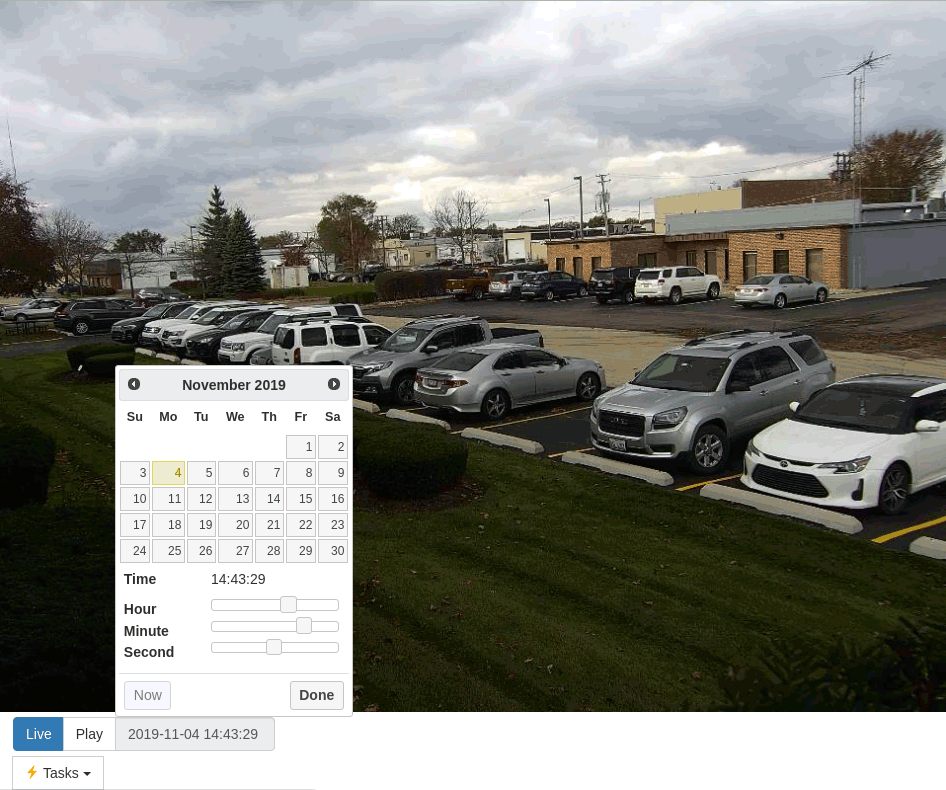
August 24, 2020
Eagle Eye Networks - Cloud NVR Platform - Now Integrated
Valuable new integration offering for your customers The Eagle Eye Networks (EEN) integration expands Connect ONE's supported video platforms with their cloud connected NVR. The integration is very simple to configure, simple enter the EEN account id into Connect ONE and the complete camera list will be retrieved. Now your customer can view live and playback recordings from all of their EEN connected cameras in the Connect ONE application. They can also configure Event Rule actions to record snapshots from the cameras in relation to system activity, such as alarms, troubles, access events, etc. Learn More
Read More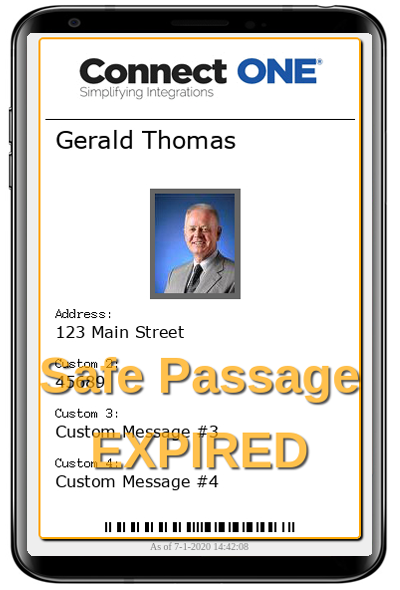
August 6, 2020
Self-Driven Health/Hazard Approvals - Safe Passage Module
Valuable new service offering for your customers - A great tool for getting back to work The Safe Passage Module provides a framework for a one-time/periodic self-approval process. If required and not completed, upon access by the individual, violation events are generated so a manager can ensure the user is safe to be at the site in regard to health and/or hazard concerns. Documentation is stored with the user account showing they have answered the proper questions and approved any company terms such as an NDA. An administrator may create multiple safe passage templates. They may specify ...
Read More
August 1, 2020
Mass Notification Integration with the Emergency Messaging Hub
The Emergency Messaging Hub provides a unified feed of emergency messages from multiple systems for an associated site. It works by receiving Common Alerting Protocol (CAP) messages from Mass Notification and other Emergency Response platforms and by translating device native events to the CAP format. All CAP messages are published to the hub for all external services such as Mass Notification Systems to consume in a single atom feed. Learn More
Read MoreJuly 16, 2020
In/Out Dashboard includes People Counts
The In/Out Dashboard is a great tool to track where people are in the facilities and also now shows a count of total people in each area. The dashboard has many uses including a live muster report in the case of an emergency.
Read More
June 10, 2020
DMP XR v202 Private Doors Feature Supported
Version 202 of the DMP XR control panels added a new feature to manage access doors via the Private Door setting. When an access door is set to a private door it is disassociated from an area and can then be permission managed directly in one of four slots available in a System Profile (screenshot below). If a door is configured as a private door in the panel programming this information just needs to be received into Connect ONE and then the Door Authority option will be displayed in System Profiles. Keep in mind that when a door is no ...
Read More
June 1, 2020
Cloud Badge Printing Integration with InstantCard
Valuable new service offering for your customers A new integration is now available with a cloud badge printing service, InstantCard. You can become a dealer/distributor with InstantCard (instantcard.net) which allows you to create custom badge templates for your customer and InstantCard handles the printing and shipping of the badge to your customer. The integration with Connect ONE allows your customer to associate a user with a badge template to automatically supply the user information and image to the template at InstantCard, and your customer can complete an order for a badge ...
Read More
June 1, 2020
User Management Improvements
The user delete/deactivate options now automatically apply the same action to the user’s system codes. Previously a second confirmation was required for the user to apply the action to the system codes, in practice this step was occasionally misunderstood. Now the initial delete or deactivate confirmation informs the user of how the operation will also apply to system codes without requiring any additional action by the user. If the user wishes to retain the codes for some reason they can first un-assign the codes from the current user and then perform the deactivation or ...
Read MoreShowing 85-96 of 230 features